What a voice agent can actually take off your IT service desk
Password resets, locked accounts, access requests and ticket updates fill most service desk queues. Here is what a voice agent can handle end to end, what should stay with your team, and how to start.
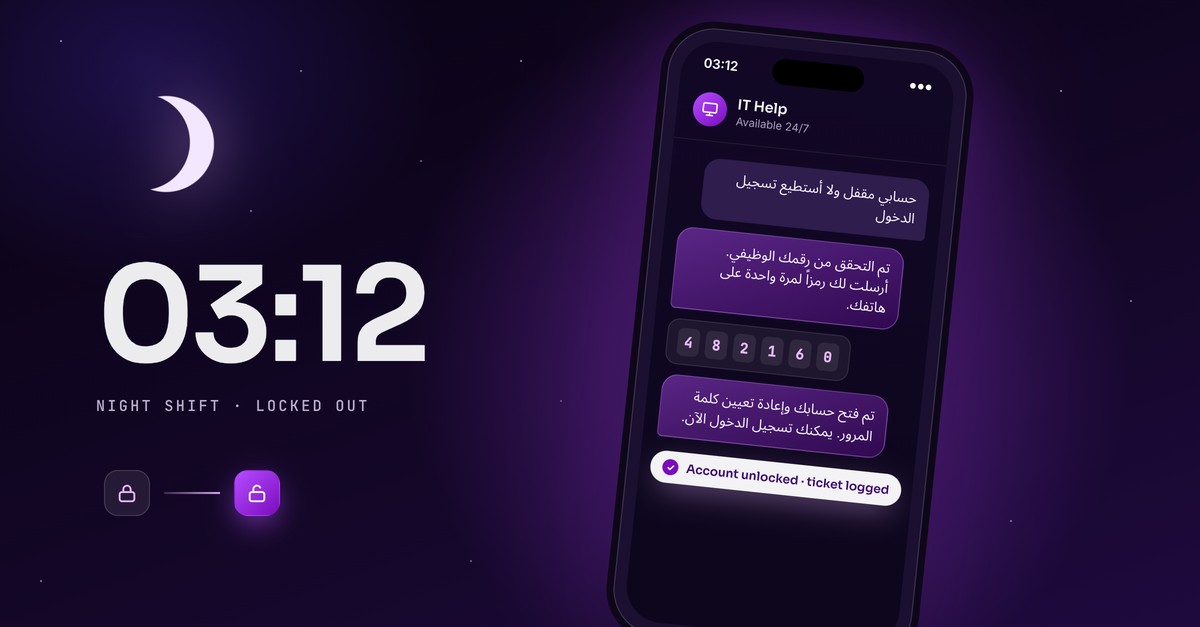
Ask anyone who runs an IT service desk what fills their day, and the answer is rarely the outage or the security incident. It is the password reset. The locked account. The "is the system down or is it just me?" call. The person checking, for the third time, whether their laptop request has been approved.
None of these are hard. That is the problem. Each one takes a few minutes of an engineer's time, and together they push the work that actually needs an engineer further down the queue.
This is where a voice agent earns its place. Not as a chatbot that points people to a knowledge base article, but as an agent that takes the request, checks who is asking, does the work in your systems, and closes it. Here is what that looks like in practice, what it should not touch, and how to start.
The requests that fill the queue
Most service desks see the same handful of requests over and over. They make good candidates for a voice agent because they follow a clear pattern and have a clear end point.
- Password resets and account unlocks. The most common request on almost every service desk, and the one employees most want solved immediately, because they cannot work until it is.
- Access requests. Someone needs a shared drive, an application or a distribution list. The steps are always the same: collect the details, get approval, grant the access.
- Ticket status. "Where is my request?" is a question your ITSM can already answer. The employee just cannot be bothered to log in and look.
- Outage and maintenance updates. When something is down, the phones light up with people asking the same question. Each of those calls takes time away from fixing the problem.
- Joiners, movers and leavers. New hires need accounts on day one, people changing roles need their access updated, and leavers need it removed on time.
- Basic incident triage. Asking the right questions, logging a properly categorised ticket and applying a known fix where one exists.
None of these need judgement. They need speed, accuracy and the right system access.
What the agent actually does
The difference between a voice agent and an FAQ bot is that the agent completes the task. Take a password reset:
- The employee calls the IT line, or messages on WhatsApp or Microsoft Teams.
- The agent confirms who they are using the checks you already trust, such as employee ID, a one-time code sent to their registered phone, or your identity system.
- It resets the password or unlocks the account in your directory.
- It logs the action in your ITSM, so there is a full record.
- The employee is back to work, without raising a ticket or waiting for a callback.
Access requests follow the same pattern. The agent collects what is needed, sends the request to the right approver and grants the access once it is approved. For ticket status, it reads the live record from your ITSM and tells the employee where things stand, in plain language.
Because the agent works in your systems rather than around them, everything it does is visible to your IT team, just like work done by a person.
What should stay with your team
A voice agent should not try to do everything, and the setups that work best are clear about where its limits are. Good candidates to keep with your engineers include:
- Major incidents and anything affecting many users at once, beyond giving status updates.
- Security events, such as suspected phishing, compromised accounts or lost devices.
- Requests that need a decision rather than a process, such as exceptions to policy.
- Anything where the employee is frustrated and wants a person.
The important part is the handover. When the agent reaches its limit, it should pass the request to the right team with the full conversation and every detail already captured, so nobody has to start again. If an employee has to repeat everything they just said, the agent has made the experience worse, not better.
Security comes first
The first question most IT leaders ask is whether it is safe to let an agent reset passwords. It is a fair question, and the answer depends on how it is set up.
A well-built agent never acts before it has verified the caller, and it uses your existing identity checks rather than inventing new ones. It only has access to the actions you allow, and every action is logged for audit. For sensitive requests, you can require an extra step, such as a code sent to a registered device or manager approval.
Done properly, this can be more consistent than a busy human agent who is under pressure to clear the queue and may skip a step on a long day.
Built for how your workforce actually works
For companies across the Gulf and the wider region, a few things matter more than they do elsewhere.
Language. Your workforce speaks Arabic, English and often several other languages. An IT line that only works well in English leaves a large part of your staff struggling to explain a problem, or waiting for a colleague to translate. The agent should handle the conversation in the language the employee is most comfortable in.
Channels. Not everyone sits at a desk with a laptop. Retail staff, drivers, warehouse teams and hospital staff often only have a phone. A voice line and WhatsApp reach them in a way that a self-service portal never will.
Hours. Shift work, weekends and periods like Ramadan, when working hours change, mean IT requests arrive outside office hours. An agent that is available around the clock means a night-shift employee locked out at 3am does not have to wait for the morning.
Connecting it to the tools you already have
A voice agent is only as useful as the systems it can reach. It should work with what your IT team already uses, not replace it. That usually means:
- Your ITSM, such as ServiceNow, Jira Service Management, BMC Helix or Freshservice, for tickets and status.
- Your identity provider, for verification, password resets and access changes.
- Microsoft Teams and WhatsApp, so employees can reach the agent where they already are.
- Custom-built internal systems, where needed.
The aim is for your IT team to keep working in the same tools, with the agent's work appearing there alongside their own.
How to start
The quickest way to see value is to start small. Pick one or two high-volume requests, usually password resets and ticket status, and put them live first. These are easy to measure: how many requests the agent closes on its own, how long employees wait, and how much time your engineers get back.
Once that is working, add the next use case, such as access requests or outage updates. Each step builds on the identity checks and system connections already in place, so it gets faster as you go. For more on taking a pilot through to a full rollout, see our guide to moving voice AI from pilot to production.
The bottom line
Your service desk team did not join to reset passwords all day. A voice agent can take the repeat requests off their plate, handle them faster and at any hour, and give your engineers time back for the work that needs them.
KalaMena AI builds and deploys voice agents for IT service desks, HR lines and frontline teams across the region. See how our IT Service Desk agent works, or book a call to talk through your service desk.